
Security & Access FAQ
Can I share my login?
No, it's against our terms of service, and is insecure. If you're recording a meeting and someone logs into Claras using the same credentials, it will automatically log you out and prevent the transcript from being saved properly.
Why did Claras log me out?
Claras will only log you out automatically when:
You login on another device or browser
Someone else logs in using your credentials
When this happens, you'll immediately be directed to the Login page to login again. This is to prevent you from making more changes (such as editing a File Note, or recording a meeting) that wouldn't get saved. To avoid this from happening, please ensure you don't share your login credentials with anyone else.
How do I manage my Multi-Factor Authentication (MFA)?
Claras supports two MFA methods: SMS verification codes and one-time codes from an authenticator app (such as Google Authenticator or Microsoft Authenticator). Email-based verification is not supported. You can manage both methods in your Personal Settings.
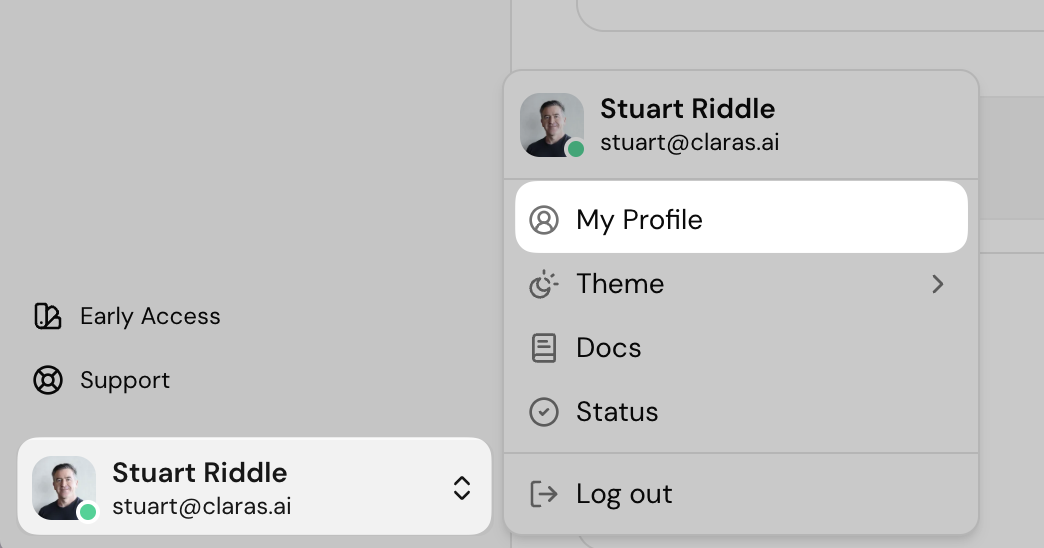
Adding or Changing Methods:
Go to your Personal Settings (the My profile option from the bottom left menu).
Find the MFA Management section
Add your phone number for SMS codes, or set up an authenticator app
You can have both methods active at the same time
Best Practice:
We recommend setting up both phone and authenticator app:
Phone SMS for daily convenience
Authenticator app as your backup
This way you'll never get locked out if you change phones or lose access to one method.
I'm not receiving my SMS verification code
If you're not receiving SMS verification codes when logging in, the message may have been filtered by your phone. On iPhone, SMS messages from unknown numbers are separated into an "Unknown Senders" list within the Messages app. You can learn more about finding filtered messages in Apple's guide to filtering messages.
If you've checked your filtered messages and still can't find the code, contact support@claras.ai and the team can investigate delivery on your account.
Locked Out Completely?
If you can't access any of your MFA methods and can't log in, contact support@claras.ai with:
The names of any other advisers in your practice account
Two clients that you've created file notes for
We'll verify your identity and help you regain access.
Last updated 13th July 2026 by Connor