
Set Up Your Profile
This guide explains how to set up your personal profile, practice details, logos, and Knowledge Base material so Claras includes the right business details in file notes and documents.
This page covers:
Setting up your profile.
Configuring your practice profile.
Uploading your practice logos.
Uploading practice-wide reference material to the Knowledge Base.
Set up your personal profile
Your profile contains your personal details such as name, email, profession, and location.
Check your details
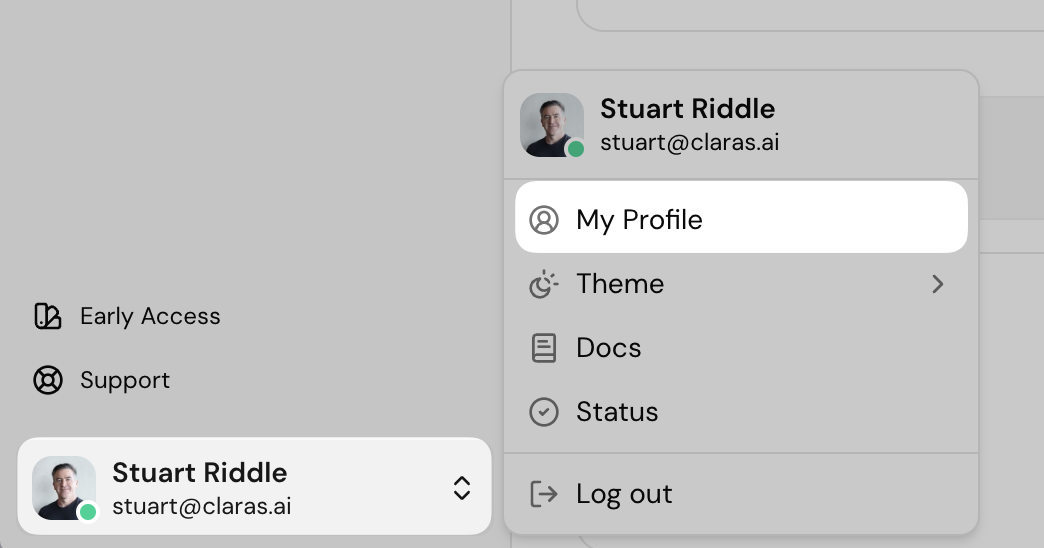
Click your name in the bottom left corner of the screen.
Select My profile and make any necessary changes.
After making changes, click Update profile.
For a detailed guide on your profile page.
Connect integrations
Integrations such as Microsoft Teams are managed in Settings → Integrations. For setup instructions, see the Microsoft Teams article.
Configure your practice profile
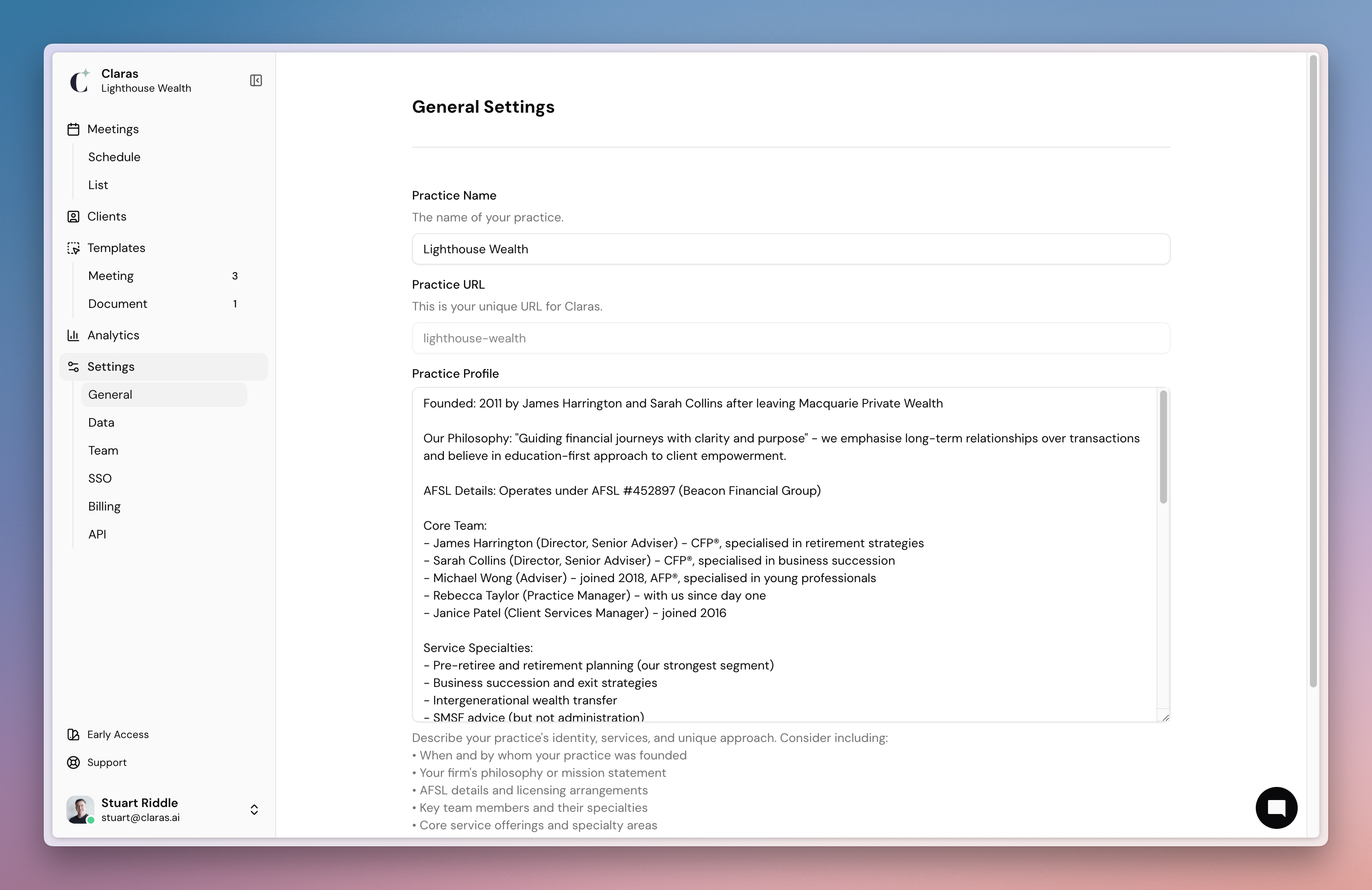
Claras uses the details in your practice profile to add accurate, consistent information to the file notes and documents it creates.
When filling out your profile, we recommend including:
Your practice name and office locations
Your firm’s philosophy or mission statement
AFSL details and licensing arrangements
Key team members and their specialties
Core service offerings and specialty areas
Fee structure
What makes your approach distinctive
To update your practice profile:
Go to Settings > General
Type or paste in your practice information
Click Save when finished
Knowledge Base
The Knowledge Base is where you upload practice-level reference material such as standards, strategies, and fee schedules. Claras draws on these materials when generating documents for any client, keeping your practice information consistent without needing to upload the same files to individual client pages.
Uploading reference material to the Knowledge Base requires the Owner or Manager role. Advisers and assistants can use Knowledge Base materials when creating documents.
To add reference material to the Knowledge Base:
Go to Knowledge Base in the main navigation.
Upload your files.
Once uploaded, these materials are automatically available as references when creating documents.
Next
It's time to learn how to create advice documents.
Last updated 23rd July 2026 by Connor