
Knowledge Base
This guide explains how to upload practice-wide reference material to the Knowledge Base so Claras can use it when generating documents for any client.
Uploading reference material to the Knowledge Base requires the Owner or Manager role. Advisers and assistants can use Knowledge Base materials when creating documents.
Overview
The Knowledge Base stores reference material that applies across your entire practice rather than to a single client. When you upload files here, Claras draws on those materials when generating documents for any client. This keeps your practice information consistent without needing to upload the same files to individual client profiles.
Common examples of practice-wide reference material include:
Licensee standards
Strategy library
Approved product list
Fee schedules
Economic assumptions
Research frameworks
Upload Reference Material
To add reference material to the Knowledge Base:
Go to Knowledge Base in the main navigation.
Upload your files.
Claras will process the files and display a green tick once complete.
Once uploaded, these materials are automatically available as references when creating documents.
Using Knowledge Base Materials in Documents
When creating a document, Claras uses your Knowledge Base materials alongside client files, file notes, client record, and practice profile details. You do not need to manually select Knowledge Base materials each time as they are included automatically.
You can also add specific instructions in the document brief to direct Claras to draw on particular Knowledge Base materials for specific sections. For example, you might instruct Claras to reference your approved product list when generating a product comparison section.
For more on creating documents, see Create Advice Documents.
Files shared by your licensee
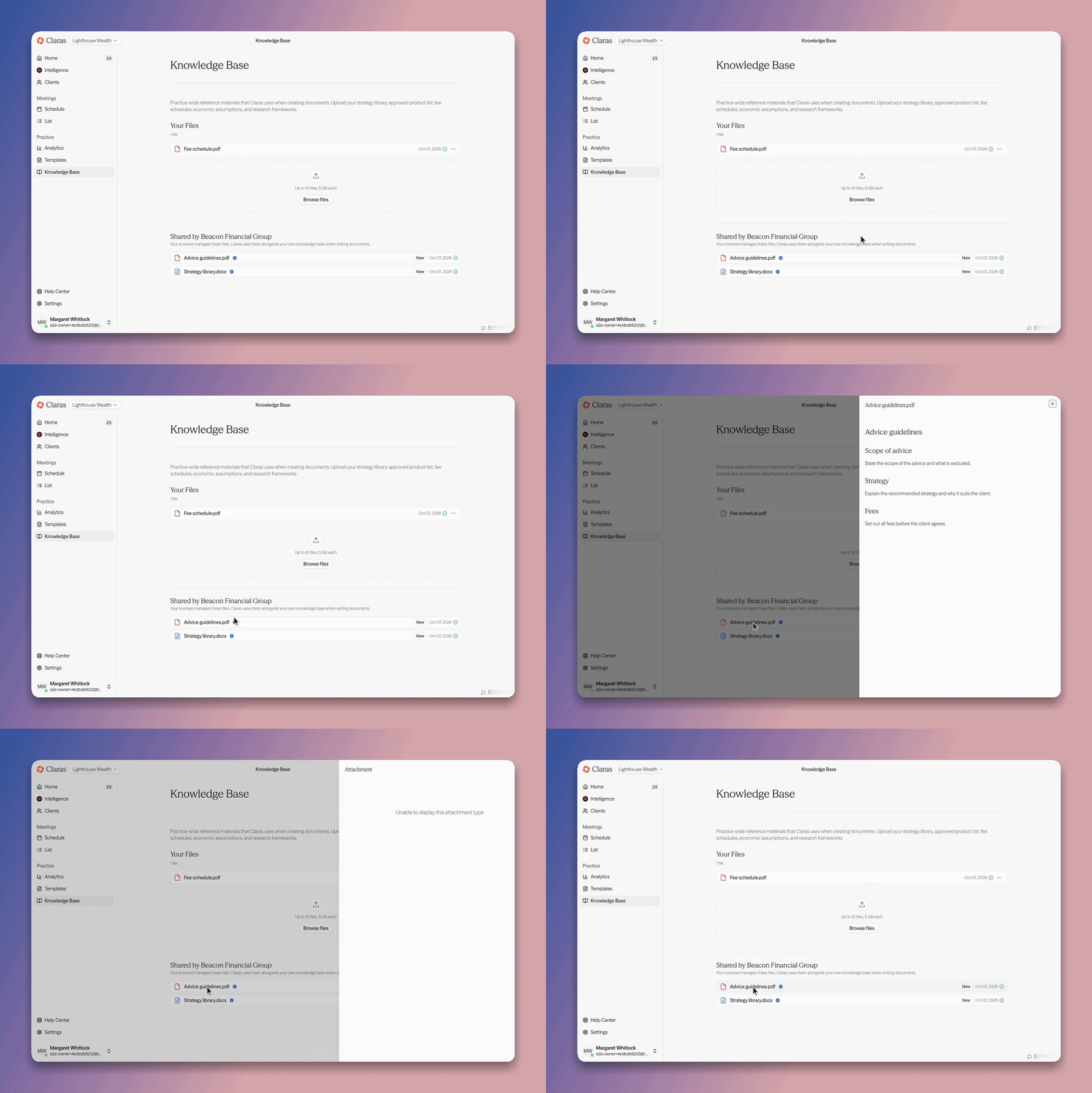
If your practice is connected to a licensee, your licensee can share its own Knowledge Base files, such as its strategy library and advice guidelines, with your practice. As a result, you no longer need to upload your licensee's standards yourself, and you always work from the version your licensee manages.
Shared files appear on your Knowledge Base page in a "Shared by" section below your own files. Each one carries the "Official" mark, a blue tick after its name, and a "New" badge for the first seven days. You can open a shared file to read it, but you cannot rename, delete or reshare it, because your licensee owns it.
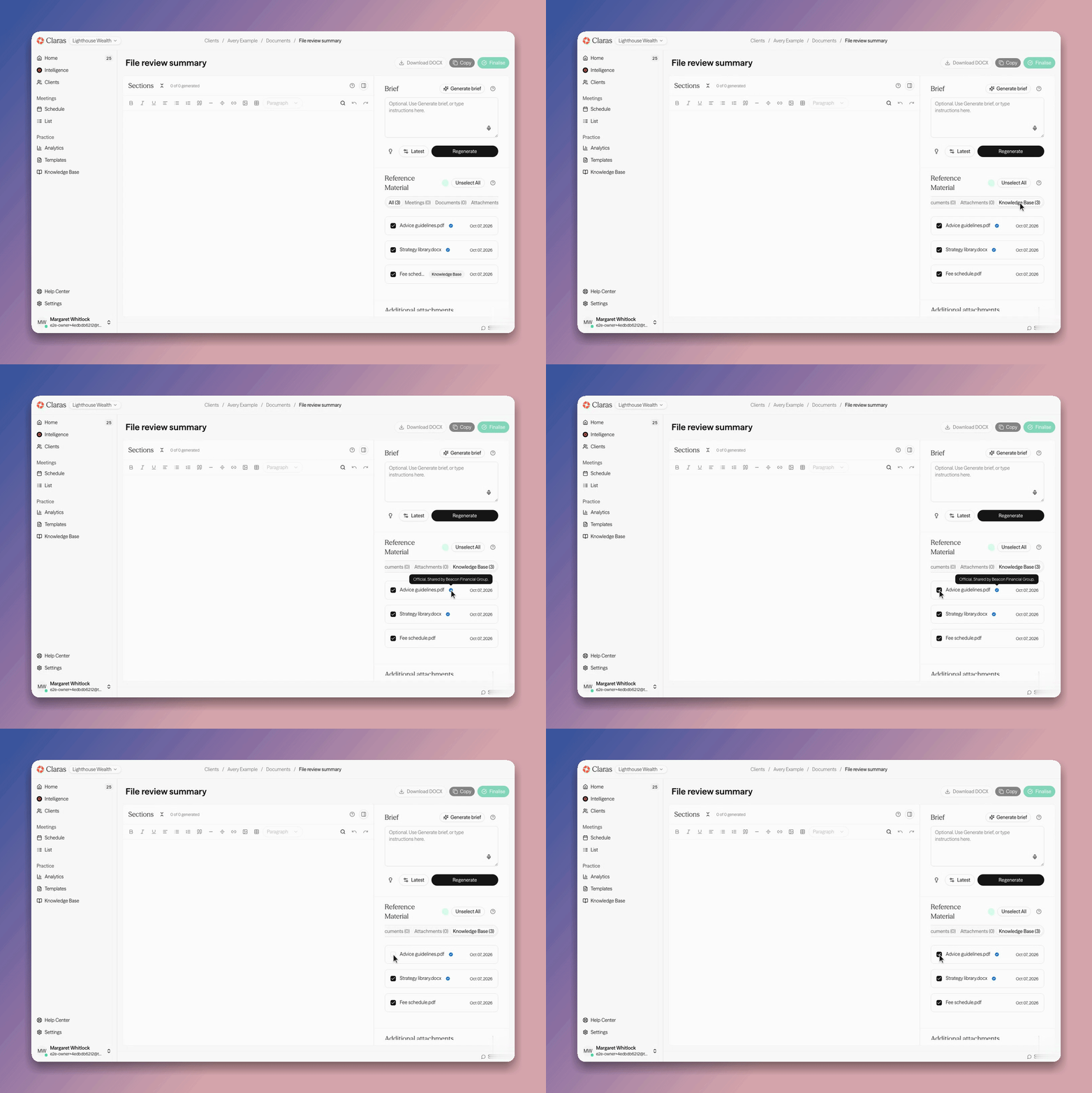
When you create a document, Claras lists shared files in the "Knowledge Base" tab of the reference material alongside your own, with the same "Official" mark. Hovering over the tick names your licensee. You can select or unselect a shared file like any other reference material.
If your licensee stops sharing a file, or your connection to the licensee ends, the file disappears from your Knowledge Base and reference material. Documents you already wrote with it keep their content.
If your licensee does not share files through Claras yet, you can still upload its standards to your own Knowledge Base as before.
If you manage a licensee account, see Share With Your Licensee Network to learn how to share files with your practices.
Last updated 7th October 2026 by Tsogt