
Redaction
This article explains how Claras redacts your clients' personal information, and what controls you have available.
Overview
Claras can redact client Personally Identifiable Information (PII) before anything gets sent to AI providers. Names, addresses, and other information gets swapped with placeholders such as [NAME-1] and [ADDRESS-2], then swapped back once done.
This acts as an extra layer of privacy to safeguard your clients information, similar to how multi-factor authentication is an extra layer of security for your account.
Tradeoffs
Not being able to see the real information can sometimes make it harder for Claras to provide accurate outputs in your file notes, documents, and the client records. This could result in:
Getting people mixed up (such as confusing a husband and wife)
Not understanding the full situation (only sees
[LOCATION-1] equitiesrather thanAustralian equities)Accidentally making up names and other information (trying to "fill in" the placeholders rather than leave them)
As a result, you will need to spend more time double checking the outputs to make sure the information is correct. This is especially important when the outputs of one area (such as client record) feed into other areas (such as future documents).
While we're continually improving the reliability of the redaction process, we also appreciate the risk of incorrect information in compliance and client facing documentation can sometimes outweigh the benefits of extra privacy. Hence, we give you the choice on whether to use redaction.
Enabling and disabling redaction
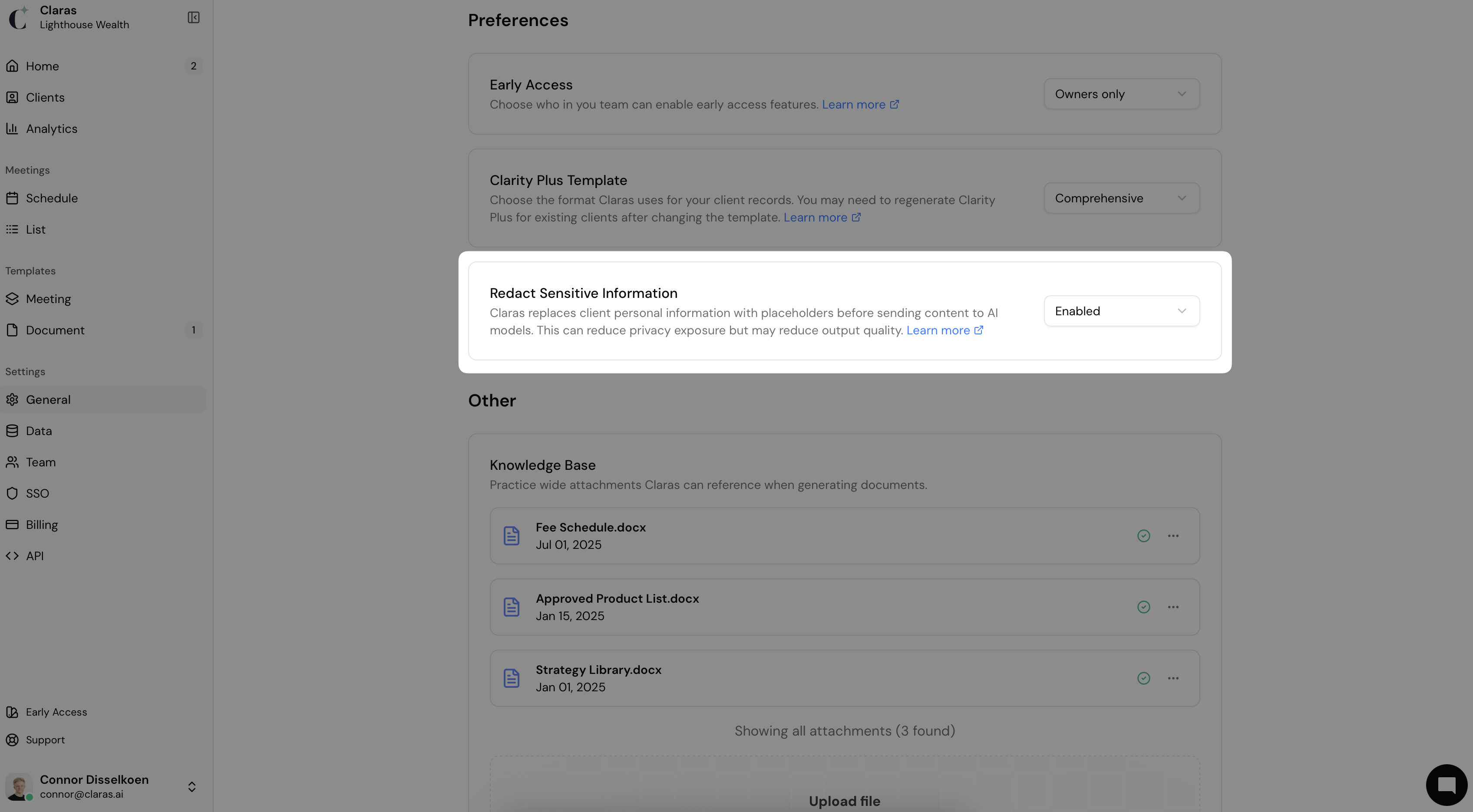
You can choose whether to use the redaction feature in Claras. Navigate to the Settings → General page from the sidebar and scroll down to the "Preferences" section. There you'll find the option to enable or disable redaction.
When Claras sends your content to its own AI providers, the following controls are always in place, whether you have redaction enabled or disabled:
We don't use your data to train AI models
We don't share your data with third parties or other Claras customers
We have Zero Data Retention agreements with all our service providers (which means they never save or use your data either)
Your data is stored in Australia
These controls cover the AI providers Claras uses. They do not cover connected agents. If you connect Claude or ChatGPT to Claras yourself, that agent reads your client records, meeting transcripts and file notes as they are stored, redaction does not apply to it, and your agreement with that vendor decides how the information is kept and used.
Frequently asked questions
What type of information gets redacted?
Names of people
Addresses
Locations (geographic places)
Emails
Phone numbers (Australian mobile and landline)
ABNs
Driver's licences (Australian)
Medicare numbers
Passport numbers (Australian)
Tax file numbers
URLs
Does my personal or practice information get redacted?
No. We don't redact information found in:
Your personal name
Your personal "about" section
Your practice name
Your practice "profile" section
This is to help Claras know who is speaking in meetings, who's on your team, and to ensure important information such as your business name and URLs are always referenced correctly in file notes and documents.
Does redaction apply to connected agents?
No. Redaction happens when Claras sends content to its own AI providers. A connected agent asks Claras for the content directly, so it receives your client records, meeting transcripts and file notes as they are stored, whether or not redaction is on.
Read Connected Agents before you connect one, and Personal Access Tokens for Agents if you are setting up a tool such as Claude Code.
I've disabled redaction, but client names are still incorrect
Check your client's record and make sure the correct information is showing. If incorrect information is in the client record, it can flow through to other items such as file notes and documents. If you do find incorrect information, you can manually update it, or regenerate the record.
Even with the correct names, sometimes Claras can assign the wrong speakers to the transcript. You can find tips on how to improve speaker accuracy here.
Last updated 30th July 2026 by Tsogt